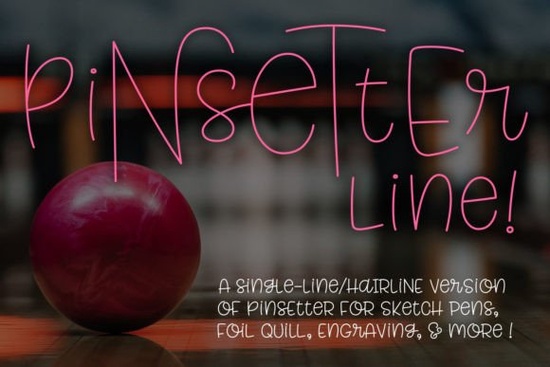
If you have ever watched a foil quill or engraving tool trace delicate, continuous letterforms without lifting its tip, you already know the unique appeal of single-line typography. The Pinsetter Line (single Line) Font was built specifically for machines and digital pens that draw characters instead of printing solid ink blocks. Unlike standard typefaces that rely on thick strokes, this style uses continuous paths that work beautifully with styluses and vector setups designed for sketch mode. Make sure your project workflow actually supports path-based drawing rather than traditional text rendering.
What exactly is a single-line or hairline typeface?
These fonts operate on completely different principles than the text you edit in document editors. Instead of displaying solid shapes, they send coordinates to a nib or laser that follows a single unbroken wireframe. Think of it like a blueprint where the letter itself becomes a tracing route. You will usually find two versions packaged together: a true single-line format for specialized hardware, and a hairline variant optimized for most vector editors. Both deliver the same elegant letterforms, but the underlying math changes depending on how your software interprets line weight.
Note: You cannot type directly into a word processor and expect crisp results here. These files are meant to be placed inside creative suites or cutting platforms that recognize continuous paths. If you need a flowing brush style for wedding invitations, consider pairing something like the script options found at Melon Sorbet or Bluebird Melody for contrast against the geometric precision of continuous lines.
Which version should you install for your software?
The package includes both formats so you can test what runs smoothly on your machine. Programs like Adobe Illustrator CC, Inkscape, CorelDRAW, Affinity Designer, and Rhinoceros 6 handle the hairline version exceptionally well. For die-cutting environments such as Cricut Design Space or Silhouette Studio, the hairline paths translate reliably when converted to cut lines. If you prefer working directly with pen plots, the single-line variant gives you tighter control over lift-and-drop behavior.
A quick heads-up regarding Brother machines: known driver limitations mean the hairline paths sometimes break inside Canvas Workspace. The safest route is to build your artwork in Illustrator or Inkscape, export a clean SVG, and bring that file into your Brother hub. Always open the included PDF guides before you begin; one walks you through format selection, while the other lays out every alternate character and spacing correction in plain sight.
How do makers actually turn these paths into finished products?
Because the letters function as drawn routes, they shine brightest in applications that celebrate minimalism and texture. Foil stamping projects benefit from the clean continuity, since the heated plate follows the single path without catching on overlapping pixels. Engravers love how the unbroken lines reduce bit collisions, and vinyl artists appreciate how quickly the paths convert to precise weeding maps. When designing layered apparel, pair a continuous line monogram with a solid block to balance visual weight. If you enjoy rustic layouts, exploring rugged textures like those in Hickery can help you create contrast before dropping a sleek line alphabet on top.
Print-on-demand sellers often use these files for tote bags, wooden signs, and coasters where the pen effect reads instantly. Simply import the SVG, adjust stroke thickness to match your material’s tolerance, and run a test cut on scrap before hitting production stock. Some creators also map the coordinates directly to laser settings to achieve shaded line art, though you will need to experiment with power and speed curves to avoid burning through delicate substrates.
Why do previews look so strange before you install them?
Type viewers render standard glyphs, not coordinate paths, which is why the letters appear warped or oddly disconnected right on the download page. That distortion is completely normal and does not indicate a corrupted file. Everything in this pack uses Private Use Area encoding, meaning the characters hide safely outside the typical keyboard range. Once installed, your system recognizes the symbols, and you pull them up via the glyph panel or by copying straight from the provided PDF cheat sheet. For users who want to explore additional line-weight variations across different projects, searching the broader collection on Pinsetter Line Font reveals how the series scales across multiple weights and display styles.
Quick setup checklist
- Download both formats and run a sample test in your primary editing program before starting a paid project.
- Open the included PDF guides to identify alternates, ligatures, and proper spacing rules for dense layouts.
- Convert paths to outlines in your vector software to prevent stroke-width shifts during scaling.
- Export to SVG when moving between platforms, especially if your cutting machine lacks native font support.
- Run a scrap material test to verify feed rates, plot pressure, or laser focus before committing to final substrates.
If your workflow relies heavily on continuous drawing tools, installing the compatible version now will save hours of trial and error later. Keep the PDF character sheet bookmarked, stick to SVG exports for cross-platform consistency, and you will consistently produce clean, professional line-art projects.
Download Now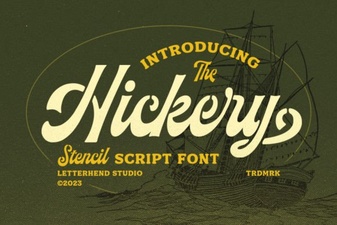 Hickery Font: Creative Typography for Your Projects
 Classic Fonts for Modern Design Projects
 Barbie Font for Design, Crafting & Diy Projects
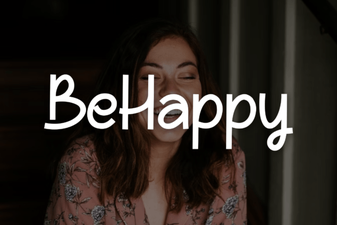 Behappy Font: Free Retro Script for Creative Designs
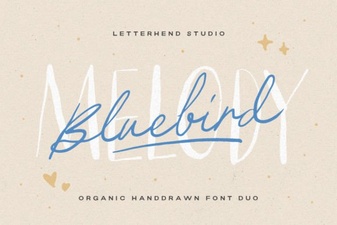 The Bluebird Melody Font for Creative Typography
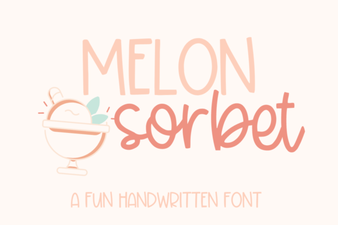 Melon Sorbet: a Font for Fun Projects