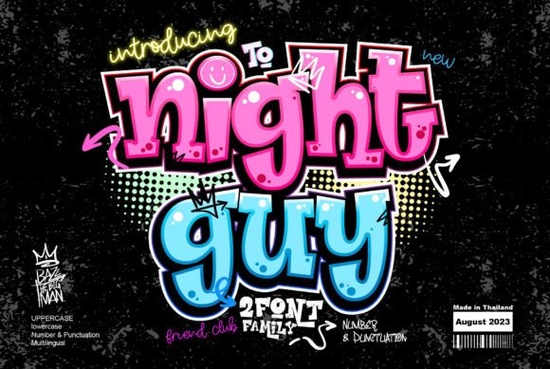
If you frequently sketch rough layouts for streetwear labels or handmade stickers, you already know that heavy, textured typefaces carry immediate visual weight. Night Guy Font fits that exact niche by offering thick strokes, raw edges, and a built-in attitude that reads clearly even at smaller sizes. Commercial creators often turn to this style when they need to announce drop collections, tag custom apparel, or give packaging a modern urban feel without relying on complex graphics. The typeface itself ships with basic punctuation, capital letters, and several number variations, which covers most short-to-medium copy needs on tags and hang cards.
What makes a graffiti display font different from standard typefaces?
Unlike traditional sans-serifs or serifs that prioritize uniform stroke width and academic readability, street-style displays embrace uneven margins, occasional overlaps, and intentional roughness around the terminals. That structural irregularity catches light differently on physical media, which is why heat-transfer vinyl cuts and sublimation prints tend to show more detail. When you pull the file into your vector editor, you will notice that the outlines remain mostly closed, making them straightforward to split paths for multi-color screen prints or to extrude for simple mockups. Keep in mind that the heavier shapes require generous tracking; tight letter spacing quickly turns the character blocks into muddy blobs that lose their original charm.
How can you apply this typography to product photography?
Lifestyle shots benefit from placing the text on neutral backdrops so the raw edges do not compete with fabric textures or wooden props. A quick way to boost contrast is adding a subtle drop shadow or a thin contrasting outline that separates the dark marks from busy environments. If you are preparing files for print-on-demand platforms, export your artwork at three hundred dots per inch and flatten any overlapping groups before uploading. Testing a single proof on cotton blanks usually reveals whether the ink absorption softens those sharp corners too much, allowing you to adjust spacing or add a secondary accent word in a lighter weight before committing to bulk runs.
Which complementary type styles balance rugged lettering?
Heavy display faces rarely stand alone on professional layouts because they quickly dominate the visual hierarchy. Pairing them with clean geometric bodies or delicate handwritten markers creates enough tension to guide the reader through your message. If you occasionally need tracing-style layouts for children activity sheets, checking out a large lettering set provides clear structural guidance while keeping the composition open. For posters that lean into heritage branding, comparing it to a classic serif set helps balance the modern grit with established familiarity. When promoting local workshops, swapping the heavy edges for something slightly softer like an activity-focused typeface keeps informational details legible. Stickers that catch the eye often mix sharp angles with a curved vintage style to soften the overall silhouette. Packaging for artisanal goods sometimes benefits when paired with a soft nostalgic script for ingredient lists or care instructions.
Where should you verify file compatibility before mass production?
Different manufacturers accept varying formats, so verifying upfront prevents last-minute reformatting delays. CorelDRAW users typically save in CDR versions nine or eleven for older plotters, while Adobe Illustrator customers should embed all preview data and convert text to outlines only after double-checking kerning pairs. Free craft software such as Silhouette Studio or Cricut Design Space often struggles with complex cross-contours, which means converting the outer boundary to a single continuous path usually resolves cut errors. Night Guy works smoothly across most desktop applications, but running a test slice through your specific blade calibration ensures crisp registration on specialty substrates like holographic vinyl or distressed denim.
Final steps to integrate this style into your workflow
- Check licensing terms before applying the typeface to resellable items or branded templates.
- Set tracking between fifteen and twenty-five units depending on how tight your layout allows.
- Export vector paths in both SVG and PDF to cover web previews and large-format printing.
- Run a physical proof on your actual substrate to confirm ink coverage matches expectations.
- Archive your layered files separately from flattened proofs so minor adjustments stay reversible.
Keep a few pre-scaled size references in your template folder, test colors against your brand palette early, and store cut-ready versions labeled by material thickness. This approach reduces revision cycles and keeps your output consistent across seasonal releases.
Download Now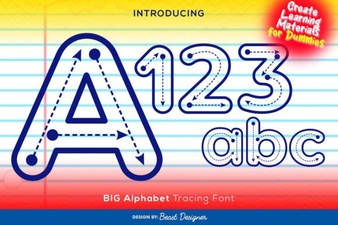 Creative Fonts for Tracing Large Letters & Numbers
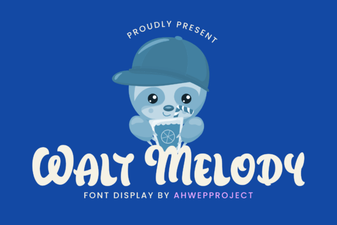 Crafting with the Walt Melody Font
 Magical Vintage Font Styles for Modern Design
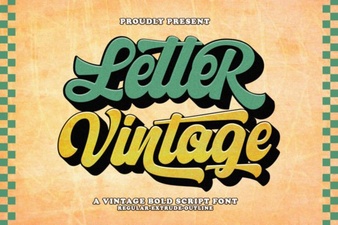 Vintage Lettering Fonts for Timeless Design Projects
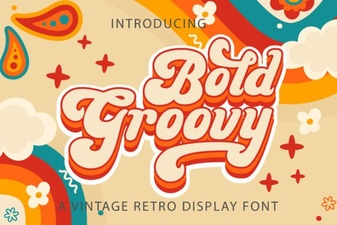 Groovy Font Designs for Bold & Creative Projects
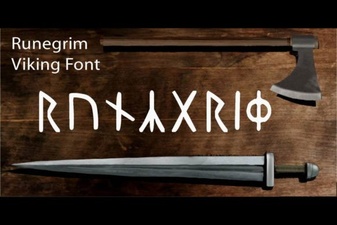 Runegrim Font: Creative Typography Design Tips